
Last month (June 2025), news broke of a data breach of Krakatoan proportions – an estimated 16 billion passwords were exposed in what is believed to be the single biggest data leak ever
If you have good security practices in place, then your risk of suffering identity fraud is significantly reduced.
Change your most important and frequently used logins – within your password manager account – and rest easy knowing your Two-Factor Authentication (2FA) settings and informed avoidance of the common vulnerabilities will keep you secure.
Let’s run through this checklist to be certain we’re playing smart and safe…
Best practice for better security
- Use a password manager,
- Delete / do not store your logins in your browsers on your laptop and phone,
- Delete any accounts you no longer need,
- Use Two-Factor Authentication (2FA), with an authenticator app where possible,
- Use a Virtual Private Network (VPN), especially on public Wi-Fi,
- Do not use public USB charging points,
- Do not keep your mobile phone in a wallet with your credit cards; and
- Don’t daisy-chain with PINs.
If you’ve got all of those measures in place, then you’re done with this article but let’s be honest – you know some of this stuff but haven’t implemented it, and some of this is completely new to you. Phone wallets are a security risk?
We’ll start with the password advice you’ve heard a million times and work our way through to the security risks you had no idea of.
Password Managers
If you do not have a password manager account, set one up. It is the single biggest improvement you can make to your login security. Setting up your password manager account makes the process of changing and strengthening your passwords so much easier.
Password managers create, store and auto-fill your logins. Note, this is not the same as saving your logins in your browser on your computer or phone.
Passwords are on borrowed time
Many of you will have been prompted by the likes of Google and eBay to create a ‘passkey’ for your account. Passwords are on borrowed time, but until the passkey system is more widely adopted, we need to make the best of them. In this article, we’re discussing the password system; we’ll tackle passkeys another time.
Logins saved in your device browser are not secure – anyone with access to your device can use them, and you have no backup of them. Lose your device, and your passwords are gone. Your password manager account is cloud-based, so you can access it from wherever you go online.
When you set up and start to populate your password manager with your logins, turn off / don’t save your new passwords in your device browser. There’s no point having a combination safe if you’ve got the code written on a post-it note stuck on the back.
Email tidy-up
Setting up a password manager account is a perfect time to purge your email. If you use the same email account for your logins as your primary contact, then your inbox probably looks like a teenager’s bedroom floor. It is good practice to keep a separate email account for your logins (and all the associated notifications), and keep your primary contact for your direct messages.
You don’t have to do it all at once. As you populate your password manager account, you can tidy up your email inbox while stepping up your login security.
Many password manager service providers offer free plans, with apps for mobile devices. If you are considering paying for improved security, then take a look at the packages that bundle password management with VPN, malware protection and other security services.
Social weakness
It does not matter how careful you are with your password security; your login details will still get stolen. Hackers don’t need to phish around trying to trick you into turning over your info when they can just break into the network database.
Today, and every day, around 300,000 Facebook accounts will be compromised
Top Social Media Hacking Statistics & Trends for 2025 – Station X
Facebook and Instagram are the two most frequently hacked networks, with X-twitter and LinkedIn close behind. Similarly, AirB&B, TikTok, Pintrest … there’s hardly a network that hasn’t been hacked.
If you’ve not changed your Facebook / Instagram / X-twitter / LinkedIn et al password in the last month, then it is public knowledge. If you’ve not changed your password since you created your account (gulp), then it is out there in a million data-breached lists that the hackers are trading.
2-factor authentication
Given that your login will be stolen, 2FA is a way of adding another layer of security. OK, it can be a bit of a drag, particularly when the authentication is via a text message to a mobile phone. That’s where authenticator apps are handy.
Routing your 2FA via a dedicated app obviates the problems that can arise from relying on a mobile phone. Authenticator apps also allow you to add 2FA to logins like Facebook, but without handing your phone number over to Zuckerberg.
Phone wallets – An identity theft toolkit
Do not keep your credit cards and mobile phone together in a wallet. This is a fraudster’s toy box.
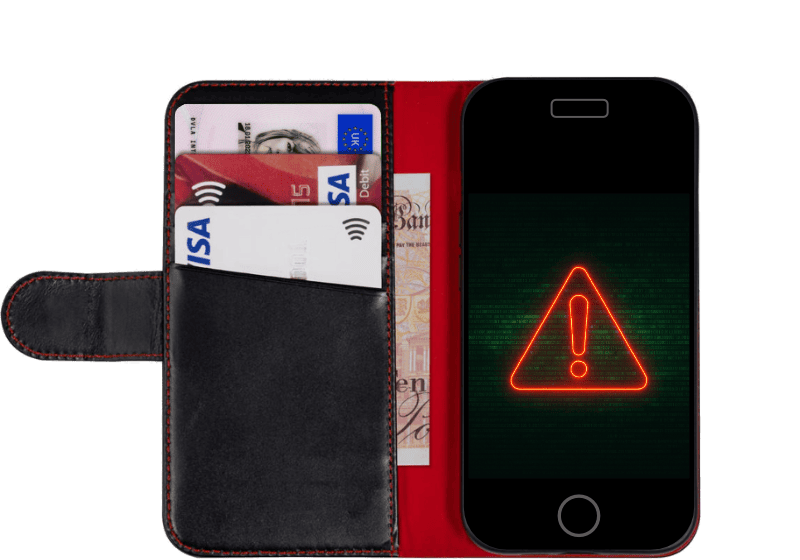
These days, many phone thieves are not so interested in the value of the device as access to your accounts. A practised hacker can empty your bank account within minutes of stealing your phone. If it comes with your credit cards and/or your driving licence, they can clear your bank account in seconds. Carry your phone in a separate pocket or bag.
A common tactic used by the fraudsters is a team of two on an e-bike. The passenger grabs your phone from your hand – as you are using it. They keep the phone unlocked until the rider navigates to a place to loot your accounts. If your phone is in a wallet with your bank cards, the thieves will have a field day. Meanwhile, you are stuck with no way to contact your bank and phone provider, and no way home but to walk.
Hackers ‘juice-jack’ public USB charging points to steal your data when you plug in
Juice Jacking: How Public Chargers Can Steal Your Data – Sentio Insurance
Public Wi-Fi and USB charging point break-ins
Public Wi-Fi networks are often unsecured and easily targeted by hackers who can intercept your data, steal personal information, and install malware on your device. Do not log in to bank accounts or other sensitive accounts, and do not download any files or apps you don’t know the origin of on public Wi-Fi. Use a Virtual Private Network (VPN) when using public Wi-Fi.
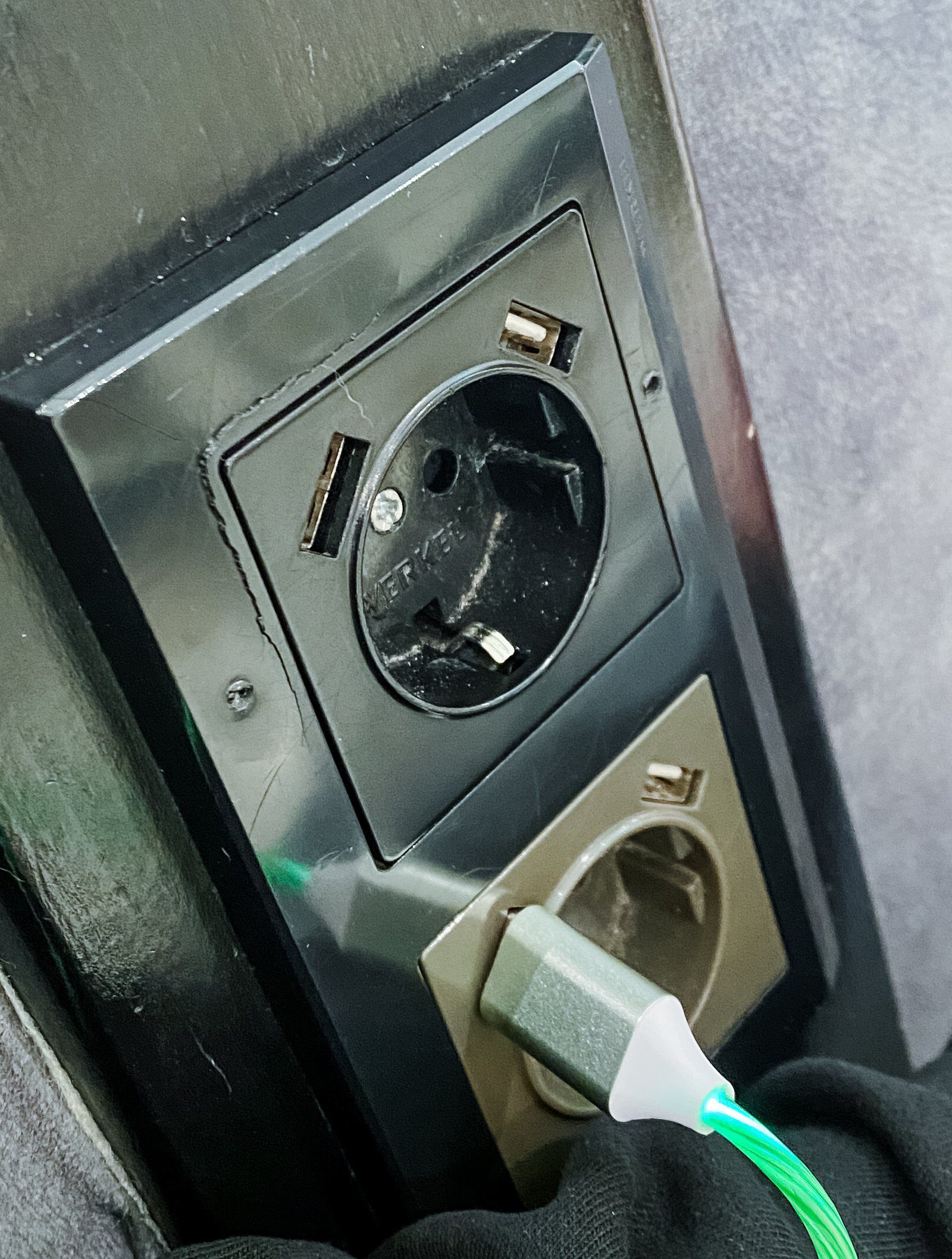
Public USB ports can be compromised by hackers installing malware that steals your data when you connect your device.
Airports provide rich pickings because of the high turnover of people using the public Wi-Fi and USB ports, and hackers can sit with a laptop installing malware and intercepting data concealed in plain view. To charge your laptop or phone on the move, carry your charger and plug it into the mains directly.
USB data blockers

If you use public USB charging points, then you should use a USB data blocker. This is a device which lacks the data-transfer pins in a USB port. They come as small adaptors which fit inline to your regular charging cable, or you can buy a charging-only cable to save on carrying extra adaptors. There software and hardware solutions for USB port security ranging in price and complexity but the cheap and simple ones are ample for protecting your device on public charging points.
- What Is a USB Data Blocker and Why Do You Need One? – FBI John
- The Best USB Port Locking Tools – Network Management Software
- Top 10 USB Blocking Software in 2025 – AI Multiple Research
Gym thefts – your pain, their gain
You know you shouldn’t ‘daisy-chain’ your passwords, right? (same password in multiple logins). But don’t do it with PINs either.

It might seem like a handy trick to use your bank card PIN as the security PIN for your mobile, and to use the same four-digit number for the locker in the gym.
Well, you’re not the first person to think of that.
Thieves shoulder-surf in changing rooms with combination locks and clock the number you use. When you leave, they open your locker and pocket your phone, knowing it’ll be an hour or so before you know it’s gone. If you’ve used the same number for all of the above, your bank account is empty before you’ve got a sweat on.
Daisy-chaining PINs is not only a risk in gyms. A thief who shoulder-surfs you unlocking your phone with a PIN, will try that same number in your banking app when they’ve swiped your phone. And if your phone came to them in a wallet with your bank cards, they’ll try that PIN at a cashpoint too.
It is not a question of ‘if’ but ‘when’ and ‘how bad’
Motorcyclists observe a mantra (usually on t-shirts) that is; it is not a question of ‘if’ but ‘when’ and ‘how bad’. That’s the reason the smart ones wear helmets, leathers, and boots.
If you are using old, unchanged and easily-remembered passwords, then, metaphorically, you are motorcycling in shorts and flip-flops.
Read more
- Top Social Media Hacking Statistics & Trends for 2025 – Station X
- Juice Jacking: How Public Chargers Can Steal Your Data – Sentio Insurance
- Don’t carry your bank cards with your mobile phone – Financial Times
- Keep your phone, ID and payment card separate! – New Money Review
- How is a thief taking thousands from London gym-goers? – BBC News
Security apps reviews
- The Best Password Managers to Secure Your Digital Life – WIRED
- The Best Password Managers for 2025 – PC Mag
- The best VPN service 2025 – Techradar
- The Best VPN Services for 2025 – PC Mag
- The Best VPN Services of 2025 – Security.org
- Best authenticator app of 2025 – Techradar Pro
- The Best Authenticator Apps for 2025 – PC Mag
- The Ultimate Guide to Choosing the Best Authenticator App For 2025 – Global Cyber Security
